
19.44% of all Google traffic came from the United States. Imagine the number of people who opened their browsers to look for the services and products they need. How many websites have they visited in the last year? And out of those websites they visited, how many did they like and not like?
Given this traffic, if you are running a business, you can say that a website serves a purpose, and it’s not just to look aesthetically pleasing. Its primary roles are to communicate the messaging of your brand and serve as the initial point of contact with potential customers. You can execute this by following a structured web design process, from planning and wireframing to design until development.
In this guide, I’ll define web design, outline its key stages, and share the best practices for an effective workflow.
What is the Web Design Process?
Psychologically, people feel more comfortable using websites that are well-designed. Why? It’s because of the emotional impact of beauty. Note that in this process, beauty translates to motivation.
For example, you run an ecommerce business. Let’s say your homepage is set up properly to introduce the benefits of your product. You also have high-quality images promoting a healthy lifestyle, and beside those are your aesthetically pleasing product photos. In short, your website looks good and that will motivate your website visitors to buy.
In the web design process, the goal is to make your potential customers stay longer on your site. With that, website design is more about building a customer-oriented, user-friendly site that balances your business objectives with the value your customers seek.
You only need to remember two things: visual appeal and functionality. In your structured approach, you must ensure that your website must be attractive – that’s the visual appeal. Second key aspect is functionality. It must work properly and guide your leads through their customer journey.
Importance of a Structured Web Design Process
If you work in the design industry, you know that many designers focus more on the visuals than functionality. Visuals matter, but a great designer ensures they make sense to the end-user. You can only achieve that by having a documented web design process in place.
So, why create an architecture of the steps in web design?
1. It facilitates proper planning and communication.
Working with a team to design a whole new website requires proper planning and clear communication. Executing this effectively requires experience, but taking it seriously simply requires learning. Without a structured process, you’re prone to duplication of effort and missing critical information.
2. It enhances user experience.
If you want better website visibility, you need to minimize the time it takes for the users to learn how to navigate your website. In Steve Krug’s book, Don’t Make Me Think: A Common Sense Approach to Web Usability, he emphasizes that designers should focus on creating user-friendly and intuitive interfaces. Even the book title says a lot – always prioritize simplicity.
3. It improves SEO performance.
Your business’ goal is to convert visitors to customers, while your website visitors’ goal is to find solutions to their problems. A well-optimized website makes it easier for search engines to find you and put you in front of your target audience.
4. It supports scalability.
Following design principles and systems makes it easier to identify areas that need improvement. This way, you’ll know when it’s time to revamp your website. Do this if you feel it’s not optimized enough to support your business goals. You’ll know when it’s time to ask for help from a web designer.
Create Winning Websites with this Web Design Process
To win your dream customer’s heart, you need a winning website. But what makes a website truly “winning”? A winning website features an eye-catching design, easy navigation, responsiveness, fast loading speed, high-quality content, strong branding, and accessibility.
But how do you achieve that? When working with a great web designer, they typically follow four key stages:
- Research and Planning
- Wireframing and Prototyping
- Visual Design and Branding
- Development
Let’s look at each stage and learn how they contribute to a website’s success.
Research and Planning
A successful website starts with a well-thought-out strategy. To create this strategy, the web designer must collaborate with the client or stakeholders.
Let’s say you are the client and already have a marketing strategy in place. Can a web designer use that to create the website? Or if you’re the web designer, can you skip the research and planning stage?
Answer: No, you cannot use a marketing strategy in place of a website strategy. They serve different purposes. A marketing strategy is a comprehensive plan, while a website strategy focuses on the design, functionality, and content to support the objectives outlined in the marketing plan.
Here’s what it takes for a web designer to craft a comprehensive website strategy.
- Understand user preferences and behaviors.
- Conduct competitor research and analysis.
- Identify opportunities to increase conversions (even if not within the initial scope).
- Review the brand guidelines.
- Advocate for a simple website design, as it often performs better than complex layouts.
Aside from these responsibilities, having a working knowledge of analytics, SEO, marketing, UX/UI strategy, and copywriting can be helpful. It can be beneficial to analyze marketing statistics such as page views, time spent on pages, and most viewed content. You can also get a lot of insights from heat maps (user behavior, clicks, scrolling patterns).
All these efforts will help answer the following:
- Who is the target visitor?
- How do they plan to use the website?
- What’s the goal of the website?
- What’s the message the website should convey?
- What makes the website unique?
This is arguably the most important stage as it sets the direction of the whole project. Without a clear direction from the start, then the whole project is likely to fail. In web design, no strategy means planning for failure.
This is why this stage also involves setting clear project goals, establishing a timeline, and defining the deliverables at each stage of the web design process. Once you have defined goals, then the next step is to draft the website structure and map out the user journey. This also includes deciding on types of content (e.g., blogs, product pages, landing pages.
In research and planning, the goal is to step into the shoes of the end user. Every project is unique, but one common action you need to take is to place yourself in the mindset of your client and their customer. This might be challenging, but it is rewarding. Remember, understanding their needs and behaviors will shape the website experience they’ll have.
Wireframing and Prototyping
After completing the research and planning phase, the web design process moves to the next stage: preparing wireframes and prototypes.
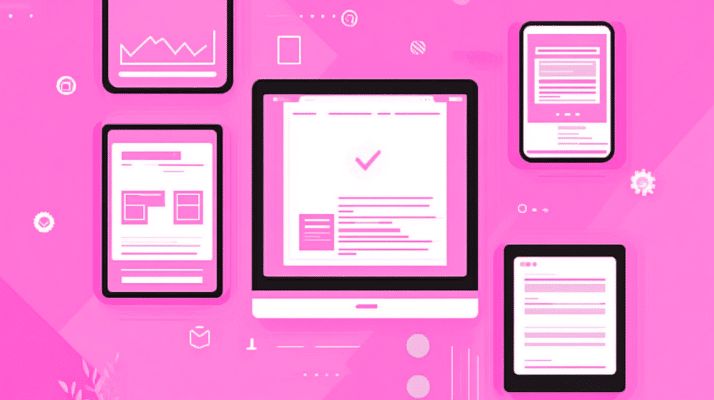
When you see a grand piece of infrastructure and admire it, remember that it was once just an architectural blueprint. You can compare wireframing to that blueprint.
Wireframing illustrates where each feature of a website will be placed on the various pages, for the benefit of designers and other stakeholders as they work on the project. It does not focus on visual design strategies; there is not even an ounce of emphasis on color or intricate graphics.
So, why do web designers use wireframes?
- It’s easier to visualize ideas.
- It ensures a smoother user experience.
- Changes can be made without major rework.
- Designers, developers and clients can focus more on functionality.
Once the wireframe designs are approved and agreed upon by the project manager, the process moves to the prototyping stage.
Why create prototypes?
Before answering this from a designer’s perspective, let me emphasize the importance of putting effort into creating prototypes. There’s a reason for following this process. You want a system that works efficiently and saves you time.
Now, back to the question. Why do designers create prototypes?
First, prototyping allows easy collaboration. Need to present your website to the team, client, or stakeholders? You can show them the prototypes. It’s a fast way to seek feedback which is important in creating a winning website.
Second, prototyping helps you experience the design better. When interacting with a prototype, you naturally step into the shoes of the users. Step by step, you notice the flaws in the design. That’s the advantage of building a model close to what you want to create – you have more time to refine the final product.
Various prototyping tools, including Adobe XD, Figma, and InVision, help designers visualize the website interaction. Having a prototype makes usability and user flow testing possible. It becomes much easier to understand the user journey and identify issues early in the process.
Before we proceed to the next step, take note of these factors during wireframe design and prototyping:
- Build a simple and logical site hierarchy
- Position buttons appropriately for user actions.
- Make sure that the layout of the website aligns with its content.
- Let real users use the prototypes to receive feedback.
Visual Design and Branding
During this phase, creativity needs to be at its peak. In the first step of the web design process, I discussed that part of a designer’s job is to review the brand guidelines. A few key elements to focus on include:
- Logo Design. This is the primary visual representation of the brand. The logo should be simple and memorable.
- Color Palette. This should evoke specific emotions that align with your brand’s message. Let the colors talk.
- Typography. This includes the font styles you want to use. It contributes significantly to the brand’s voice.
- Imagery and Visual Style. Photos, graphics, and illustrations that tell the brand’s story.
If there’s one brutal truth about website design, it’s this: people don’t read websites, they scan. If they can’t figure out a website in less than a minute, they’ll leave. You can avoid this by creating an effective design.
User Interface (UI) design emphasizes that a great website always makes a great first impression. That initial impression encourages visitors to explore further. After that, an organized layout, minimal distractions, intuitive navigation, and an accessible interface are the defining factors:
- Organized layout. Visual appeal is a currency in web design. Proper spacing, alignment, and all other elements should be well-balanced.
- Minimal distractions. A good UI design does not distract users from the website’s core message. You can minimize this by ensuring harmony among elements.
- Intuitive navigation. A user should know exactly what to do without needing a manual. An intuitive website will never make a visitor feel confused or frustrated.
- Accessible interface. A website should be usable by as many people as possible, regardless of their abilities or disabilities. It should provide no barriers for users to interact with or access the website.
Psychology of Design
In this section, I’ll talk about the psychology of good design. Most of the time, web designers focus on the technical aspects but spend almost no time on understanding the art and psychology behind it.
A good design is never confusing. People are already bombarded with information online, especially now that AI makes it easier to produce content or even design a website. When designing a website, assume that there are no second chances. Think as if you have only seven seconds to convince a visitor to stay.
It’s true that good copy persuades, but the eyes sees the visuals first before the brain processes the information. So, what should you do? Design a website that doesn’t offer too many options. It should never be overwhelming. Instead, it should provide clarity. Hence, the importance of simple layout – never present too many options.
A good design communicates purpose. That purpose is clear when the first step in the process is done right. Stay customer-oriented. Your customers have goals in their mind, consider those goals while designing.
When you design, remember this word: experience. A website visitor decides whether to continue scrolling based on how the entire website makes them feel. Do they feel like they can trust the brand? Does the website talk to them on a personal level? Does it assure them their questions will be answered?
A good design persuades. Regardless of the end goal, the website should guide the user through their journey. The ultimate goal is to drive decisions. If your design fails to persuade users to take action, rethink your strategy. A website exists to provide direction, and the job of a designer – to translate that direction into a compelling visual identity.
Good design is intuitive – it doesn’t make people think (which is exactly what your target audience wants). The simple lesson here: design for scanning.
Does that mean you have to be less creative and just be straightforward? Definitely, no. If you are solving a problem, you are already creative enough. Design is simply just about finding different and exciting ways to convey a message.
Development and Testing
This is where the design is converted into a real, usable website. The web development process can be simplified into two major aspects: front-end and back-end.
Front-end development includes all actions involved in writing code that determines how users view the site and what features they can interact with. This includes:
- HTML, which forms the website’s structure.
- CSS, which enhances the website’s visual appeal.
- JavaScript, which adds functionality to the website.
Front-end development must closely follow the approved designs, ensuring the website looks exactly as envisioned.
Back-end development focuses on the logic and integration of the database that makes the website operational. Once the website is built, thorough testing is essential to ensure everything works as intended.
Critical development and testing activities include:
- Writing clean, efficient, and structured code that aligns with the website’s objectives.
- Testing the site on different browsers (e.g., Chrome, Safari, Firefox) to check for compatibility issues.
- Ensuring the website functions properly on mobile and tablet versions.
- Testing forms, buttons, and other interactive features to verify they work correctly.
After testing, it’s time to launch your website. You should still optimize by configuring search engine optimization (SEO) settings and implementing tracking tools for analytics. Using these tools, you can track organic traffic and check the behavior of your website visitors. Then, update your website regularly.
Best Practices for an Effective Web Design Workflow
Using a structured web design workflow makes projects easier and more efficient. It also helps ensure deadlines are met. Let’s explore some best practices to keep in mind during the web design process.
Collaborating with Clients and Stakeholders
Clients appreciate being involved in the process. It gives them a sense of ownership over the website and helps them feel connected to the project, increasing their satisfaction with the final result.
Beyond that, collaboration improves feedback efficiency. And here’s the best part: clients who are actively involved in the process tend to be more flexible and adaptable. This transparency allows both the designer and the client to understand that necessary changes may arise along the way.
Collaborative tools such as Slack, Trello, or Asana enhance teamwork by clearly tracking responsibilities. Over time, this builds trust, leading to a smoother workflow throughout the project.
Working together also allows both parties to learn from each other. Clients can gain a basic understanding of web design, which helps them manage their website in the long run. Meanwhile, designers gain insight into how their clients think, giving them opportunities to create tailored solutions.
Integrating User Experience (UX) Design
The User Experience (UX) design process improves web design by catering to the needs and preferences of the target audience. This leads to higher user engagement and satisfaction.
Building websites with a user-centric approach ensures they are not only well-designed but also effective in converting and retaining visitors.
The entire UX process revolves around understanding the core user problem. User personas, journey maps, usability testing, and other tools help designers create a seamless and productive user experience.
By following UX design principles, you solve real user problems and create design decisions based on data rather than assumptions.
Testing and Optimization
It’s rare for a website to be perfect from its initial launch. Continuous testing and optimization help ensure it meets user expectations and performs well.
As part of the quality assurance process, the site should be thoroughly evaluated before launch, regardless of how much content has been created and structured:
- Check page load times and implement ways to reduce delays.
- Identify and resolve accessibility barriers to ensure inclusivity.
- Run usability tests to confirm users can navigate the site easily.
After launching, a website can quickly become outdated if it is not regularly optimized. Improvements, such as updating content, enhancing performance, and adding new functionalities based on user feedback, help keep the site relevant and effective.
Final Thoughts
The web design process requires designers to approach creativity from a marketing perspective. Beyond technical elements like wireframes, prototypes, and code, great design prioritizes messaging and the emotions potential customers need to experience. A key part of the strategy is understanding who will be using the website and designing with their needs in mind.
Another important lesson in web design is that it is both an art and a science. A designer must interpret what the client wants and deliver it in the most efficient way possible. Essentially, web design revolves around content and branding. It’s about identifying problems and translating them into a compelling design that reflects the brand’s identity.
Web design isn’t about creating something that just looks good to the designer. It’s about what looks good and provides value to the user. While usability and accessibility may sometimes seem to ruin a good design, a skilled web designer finds the balance between form and function.
Borrowing a quote from Dr. Stephen R. Covey: Begin with the end in mind. You have to start with a clear understanding of your destination. In this case, the destination is a visually appealing and effective website. This is the direction you need – imagine the person who’s going to click the CTA button you created on that simple homepage.
If you enjoyed this article, be sure to check out our other marketing resources. Click here for more insights and strategies
FAQs
Q: How is web design different from web development?
Web design often pertains to specific areas of the web, such as its format, the setting of colors and typography, and the look and feel of the Web site. Conversely, web development puts those designs into practice using codes like HTML, CSS, and Javascript.
Q: How long does the web design process typically take?
The timeline can vary significantly based on the project scope, but a typical web design process may take anywhere from 4 to 12 weeks, depending on its complexity.
Q: What tools and resources are perfect for web designers?
You can use Adobe XD or Figma for prototyping, Sketch for wireframing, InVision for design mockups, and BrowserStack for testing responsive design.
Q: What are the future trends in the web design process?
Voice search is set to be more important as users increasingly use voice commands to find information. This can predict the impact of voice technology in the future. Motion design and AI-powered interests are expected to increase visual interest and AI experience.
